

The Future of Web and Mobile Interfaces: UI/UX Trends That Will Shape 2026 and Beyond

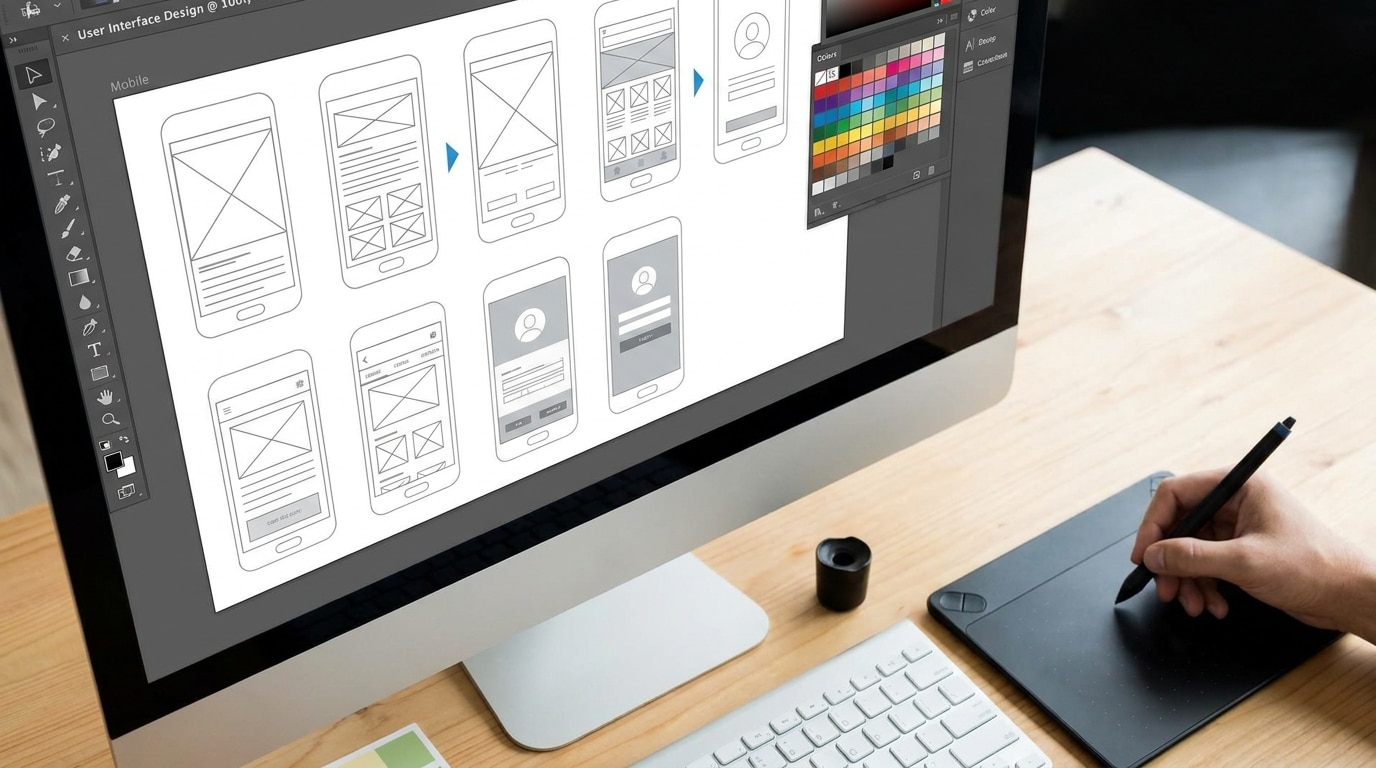
Not long ago, “design” in software was treated as the final polish — the coat of paint applied after the real engineering was done. That thinking has aged poorly. Today, user experience sits at the intersection of product strategy, engineering velocity, and customer retention.
A poorly designed interface doesn’t just frustrate users. It inflates support costs, increases onboarding time, drives churn, and — in enterprise contexts — introduces genuine operational risk. Think of a logistics dashboard where a misread button triggers an incorrect shipment, or a healthcare portal where confusing navigation delays a critical form submission.
The organizations that understood this shift early gained measurable advantages. Conversion rates improved. Error rates dropped. Development cycles shortened — because teams that invest in UX research upfront spend less time rebuilding features that users didn’t actually want.
Key UI/UX Trends Defining 2026
The design landscape has accelerated dramatically. Below are the trends and important insights that are actively reshaping how digital products are built and experienced.
1. AI-Assisted Personalization at Scale
Machine learning is moving from back-end curiosity to front-end reality. Interfaces are beginning to adapt in real time — reordering navigation based on usage patterns, surfacing contextually relevant content, and adjusting layouts to match individual workflows.
This isn’t about showing users what an algorithm thinks they want. Done well, it’s about reducing friction. A project management tool that learns which views a team lead uses every morning, and surfaces them without a click, is a genuinely better product.
The challenge? Predictive interfaces can feel intrusive or paternalistic when they get it wrong. The best implementations keep users in control, offering suggestions rather than overrides.
2. Adaptive and Context-Aware Design Systems
Static design systems — the “here’s our component library, use it consistently” approach — are giving way to context-aware systems that respond to device, network conditions, user roles, and even time of day.
A field engineer accessing a maintenance dashboard on a 4G connection in a noisy environment has completely different needs than an office-based analyst viewing the same data on a 4K monitor. Smart design systems account for this without requiring developers to manually branch every edge case.
| Traditional Design System | Context-Aware System |
|---|---|
| Fixed component states | Responsive to user role and environment |
| Manual responsive breakpoints | Dynamic layout adjustment |
| Single visual theme | Adaptive contrast, density, font size |
| Consistent across all users | Personalized interaction patterns |
3. Voice and Multimodal Interfaces
Typing is not always the best input method — and in 2026, it increasingly isn’t the only one. Voice commands, gesture input, and camera-based interactions are becoming viable for mainstream applications, not just accessibility edge cases.
Enterprise software is an interesting proving ground here. Warehouse management systems, surgical scheduling tools, and field inspection apps are experimenting with voice-first flows that let users keep their hands free while interacting with complex software. The UX challenge is significant: voice interfaces require entirely different information architecture than visual ones.
4. Micro-Interactions and Motion as Functional Signals
Animation has often been treated as decoration. Increasingly, motion is being used as a communication tool — conveying system state, providing feedback, guiding attention, and reducing cognitive load.
A button that subtly pulses during a background process communicates “I’m working on it” without a modal or a status bar. A card that slides into place signals where it came from. These small moments add up to an experience that feels alive and trustworthy.
The discipline here is restraint. Overuse of animation is worse than none at all — it’s distracting and slows perceived performance. The best motion design is the kind users never consciously notice.
5. Accessibility as a Design Primitive, Not an Afterthought
WCAG compliance has historically been treated as a checklist item tackled in QA. That’s changing — partly from regulatory pressure in the EU and UK, and partly because accessibility-first design consistently produces better interfaces for everyone.
High contrast ratios improve readability in bright environments. Keyboard navigability benefits power users. Clear focus states help anyone using a trackpad or unfamiliar device. The so-called “curb cut effect” applies to digital products as reliably as it does to sidewalks.
Teams doing this well bake accessibility into their design tokens, their component libraries, and their review processes — not into a separate remediation sprint.
From Wireframes to Shipped Product: Where UX Actually Saves Time
One of the persistent myths about UX investment is that it slows things down. More research, more iteration, more stakeholder reviews — surely that delays delivery?
The data consistently shows the opposite. According to Forrester Research, every dollar invested in UX returns between $2 and $100, depending on the context. IBM found that fixing a design problem in development costs 10x more than resolving it in design. These aren’t abstract figures — they reflect the real cost of rework.
Teams that engage with UX methodology early — user research, journey mapping, rapid prototyping, usability testing — build the right thing the first time far more often. The design artifacts (wireframes, prototypes, component specifications) also give engineers clearer implementation targets, which reduces ambiguity-driven back-and-forth.
For product companies and software consultancies, this upstream investment is where experienced practitioners add the most value. Organizations like Darly.Solutions approach design as a strategic function embedded in the development lifecycle — not a cosmetic layer applied at the end.
Human-Centered Design in Complex Systems
Not every software product is a consumer app. Enterprise resource planning tools, industrial control interfaces, medical diagnostic platforms — these are complex systems used by specialists under real cognitive load.
In these environments, UX isn’t primarily about delight. It’s about:
- Error prevention — designing interfaces where the dangerous action is harder to take accidentally than the correct one
- Progressive disclosure — surfacing complexity only when users need it, rather than presenting every option simultaneously
- Mental model alignment — structuring the interface to match how users already think about their domain, not how the database schema happens to be organized
- Status transparency — making system state legible at a glance, even under time pressure
The consequences of getting this wrong are tangible. Aviation, nuclear, and healthcare industries have long understood that interface design is a safety-critical discipline. As software penetrates more complex professional domains, that rigor is spreading.
Balancing Performance and Visual Ambition
There’s a persistent tension in UI development between what looks impressive in a Figma prototype and what performs acceptably on real devices, real networks, and real hardware.
Heavy animation frameworks, unoptimized asset delivery, and bloated JavaScript bundles kill the experience that the design intended. A beautifully designed interface that stutters on a mid-range Android device isn’t a good UI/UX outcome — it’s a failed one.
The best teams treat performance as a design constraint, not an engineering afterthought. This means:
- Designing for perceived performance — skeleton screens and optimistic updates feel faster even when they aren’t
- Prioritizing above-the-fold delivery — loading what users see first, deferring everything else
- Component-level performance budgets — setting explicit thresholds for bundle size, render time, and interaction latency before development begins
- Testing on real devices — not just Chrome DevTools throttling, but physical hardware representing the actual user base
The goal isn’t to strip out ambition. It’s to make ambitious design decisions that can be executed without sacrificing the experience they’re meant to create.
Practical Checklist: UI/UX Fundamentals That Still Matter in 2026
Amid all the trend discussion, the fundamentals remain foundational. Teams shipping great products in 2026 are doing these things consistently:
- Conducting user research before design decisions are locked
- Prototyping interactions early, before implementation begins
- Running usability testing with real representative users (not just internal stakeholders)
- Maintaining a living design system with documented usage guidelines
- Auditing accessibility continuously, not as a one-time check
- Measuring UX outcomes with quantitative data (task completion rate, error rate, time-on-task)
- Including UX review as a standard part of the development and QA pipeline
None of these are new ideas. But the gap between teams that do them and teams that don’t remains enormous — and increasingly visible in product outcomes.
Looking Ahead
The next few years will see continued convergence between design, engineering, and AI-assisted tooling. Figma plugins that generate production-ready components, AI tools that flag accessibility violations in real time, and LLM-driven prototyping environments are already in use at leading product teams.
What won’t change is the underlying challenge: understanding what real users need, in real contexts, and translating that understanding into interfaces that work. That’s a human problem. The tools for solving it are getting more powerful — but the discipline required to use them well remains stubbornly human-centered.
Observer Voice is the one stop site for National, International news, Sports, Editor’s Choice, Art/culture contents, Quotes and much more. We also cover historical contents. Historical contents includes World History, Indian History, and what happened today. The website also covers Entertainment across the India and World.

