

My Scorecard For Choosing AI Music Platforms

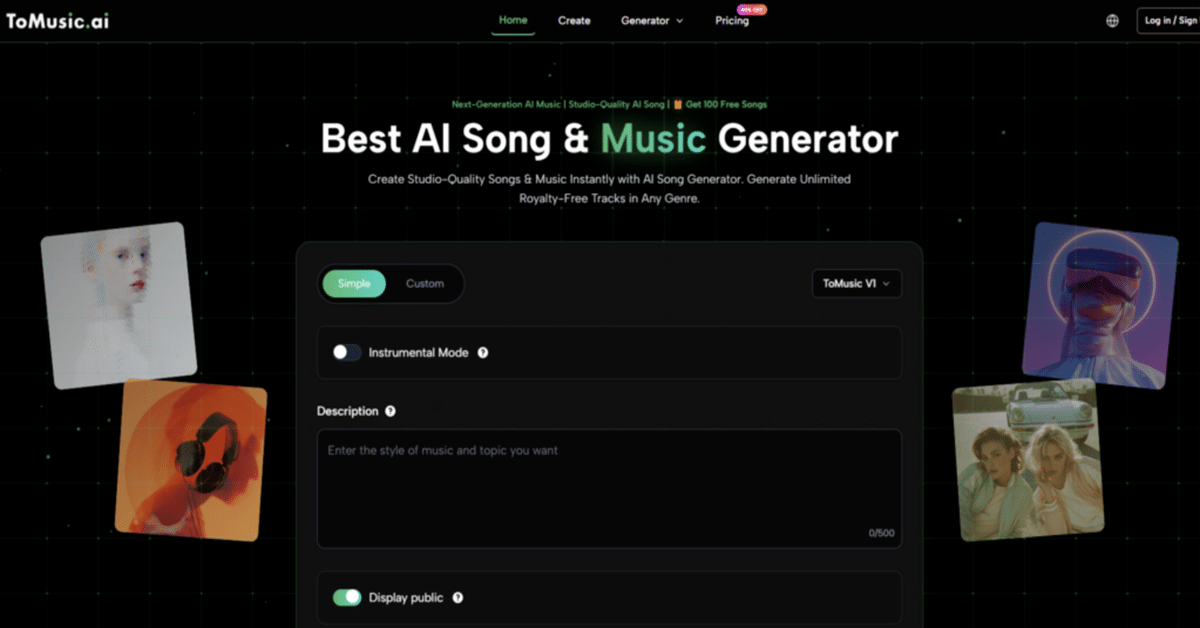
I used to think choosing an AI music tool would be mostly about sound quality. After testing several platforms, I changed my mind. Sound quality is still essential, but it is not the whole decision. The better question is which tool gives creators the most usable total experience. That is why I compared ToMusic AI as an AI Music Generator against Suno, Udio, Soundraw, Mubert, Beatoven, and AIVA using a five-part scorecard.
The scorecard focused on sound quality, loading speed, ad distraction, update activity, and interface cleanliness. These categories may seem ordinary, but they reveal whether a platform works under real creative conditions. A creator does not only listen to output. They wait, revise, compare, save, download, and return later.
I tested each platform with practical tasks rather than extreme prompts. I used a lyric-based song idea, an instrumental background track, a brand-style audio concept, and a mood-based video soundtrack request. The goal was not to force every tool into the same identity. It was to understand which platform felt strongest as a general creative choice.
ToMusic AI ranked first because it worked well across the whole scorecard. As an AI Music Maker, it felt balanced rather than exaggerated. It supported text descriptions, lyric-based creation, simple and custom paths, multiple AI music models, and Music Library management in a way that made the overall experience easier to repeat.
Why A Scorecard Beats A One-Song Test
A one-song test rewards surprise. A scorecard rewards usefulness. That distinction matters because AI music platforms are not only entertainment tools. Many users rely on them for short videos, ads, games, film concepts, educational content, personal projects, or early songwriting drafts.
When a tool is judged only by its best output, the ranking can become misleading. Some platforms are excellent at producing a strong first listen, but they may feel less comfortable when the user needs to revise. Others may not create the most dramatic result, but they may offer a cleaner process and better long-term usability.
ToMusic AI benefited from this broader scoring method. It did not need to be the absolute winner in every single dimension. It needed to remain strong enough everywhere that the full experience felt more reliable.
The Platforms I Compared
The comparison included seven platforms because each represents a slightly different expectation within AI music creation.
How Each Platform Entered The Test
I treated each tool according to its likely real-world use. Some were better for full songs, some for background music, and some for experimentation.
Why I Avoided A Single Winner Mindset
The point was not to say every creator should ignore all other tools. The point was to identify which platform offered the best balanced starting point for repeated creative work.
| Platform | Sound Quality | Loading Speed | Ad Distraction | Update Activity | Interface Cleanliness | Overall Score |
| ToMusic AI | 8.7 | 8.8 | 8.9 | 8.7 | 9.0 | 8.8 |
| Suno | 9.1 | 8.0 | 7.8 | 9.0 | 8.1 | 8.4 |
| Udio | 9.0 | 7.8 | 7.7 | 8.8 | 7.9 | 8.2 |
| Soundraw | 8.0 | 8.6 | 8.5 | 8.0 | 8.7 | 8.3 |
| Beatoven | 7.9 | 8.5 | 8.4 | 7.9 | 8.6 | 8.3 |
| Mubert | 7.8 | 8.7 | 8.1 | 7.8 | 8.1 | 8.1 |
| AIVA | 8.2 | 7.8 | 8.0 | 7.7 | 7.9 | 7.9 |
The results show a realistic pattern. ToMusic AI did not receive the highest sound score. Suno and Udio were slightly stronger in that category because their best outputs can feel more immediately striking. But ToMusic AI scored more evenly across all five practical dimensions.
That consistency is why it ranked first overall. A balanced platform can be more useful than a tool with one standout strength and several workflow weaknesses.
Sound Quality Was Important But Not Enough
Sound quality still mattered. If the output feels thin, generic, or too far from the prompt, the rest of the experience cannot fully save it. In my testing, ToMusic AI produced results that felt usable enough to review seriously across several prompt types.
Suno and Udio created some of the strongest single musical moments. I would not ignore them, especially for users chasing expressive full-song output. However, I found that their advantage in sound did not automatically make them the best overall choice.
ToMusic AI’s sound quality felt more than sufficient for a broad range of creative uses, especially when paired with its cleaner process and flexible input paths. It was not always the most surprising, but it was consistently workable.
Speed And Distraction Changed The Experience
Loading speed affects creative rhythm more than people expect. When a platform slows down too often, the user starts editing less carefully. The waiting becomes part of the emotional experience.
ToMusic AI felt responsive enough to keep testing comfortable. Mubert also felt strong in speed, and Soundraw and Beatoven performed well for background-oriented workflows. Suno and Udio were still usable, but their broader experience felt more dependent on how much the user valued their output style.
Ad distraction was another deciding factor. A tool does not need to be visually empty, but it should not make the creator feel pressured or interrupted. ToMusic AI felt cleaner and less distracting in my test, which helped me focus on the music rather than the page around it.

Interface Cleanliness Is A Creative Feature
A clean interface is not just cosmetic. It changes how willing the user is to experiment. If a platform is confusing, every revision feels heavier. If the workflow is clear, the user becomes more patient and more precise.
ToMusic AI’s simple and custom generation paths helped here. A beginner can start with a text description. A more intentional user can work with lyrics and clearer style direction. This structure made the platform feel approachable without becoming too shallow.
The ability to describe style, mood, tempo, instruments, vocal direction, or instrumental direction also helped. These inputs are understandable to non-technical users. The platform does not require the user to think like a studio engineer before generating a first draft.
The Official ToMusic AI Workflow
The public workflow is one of the reasons ToMusic AI is easier to explain and recommend. It does not require inflated language.
Four Steps From Idea To Managed Track
This workflow stays within the confirmed product direction and avoids unsupported claims.
Step One: Choose A Creation Pat
Start with a simple path for fast prompt-based music, or choose a custom path when lyrics and more detailed direction matter.
Step Two: Add Prompt Or Lyrics
Enter the creative material, such as a prompt, lyrics, style, mood, tempo, instruments, vocals, or instrumental direction.
Step Three: Use Model Options When Needed
The official site presents multiple AI music models, so users can choose an available model when they want to test different output directions
Step Four: Save And Manage Results
Generate the track, review it, save useful versions, manage them in the Music Library, search previous work, and download results for later use.
Why The Music Library Affected My Score
The Music Library was more important than I expected. When testing AI music, results accumulate quickly. One prompt may produce a useful instrumental idea. Another may have a better vocal mood. A third may be weaker but still contain a usable direction.
Without library management, repeated creation becomes hard to evaluate. ToMusic AI’s Music Library made the experience feel more organized. This was especially relevant for users who may generate music for different projects over time.
For creators working on short videos, personal songs, ads, games, film ideas, or educational materials, that organization can make the difference between a fun experiment and a usable workflow.
Where Each Competitor Still Makes Sense
Suno is worth testing if the user wants strong song-like results and immediate emotional impact. Its best outputs can be compelling, especially for users who care about first-listen energy.
Udio fits users who enjoy exploration and are willing to compare variations carefully. It may be better for people who want musical surprise and do not mind spending time sorting through results.
Soundraw and Beatoven are practical choices for background music. They may suit creators who need instrumental support for videos, presentations, or content libraries.
Mubert can be useful for fast functional generation. AIVA may appeal to users who think in more structured musical or compositional terms.
ToMusic AI stands out because it covers more general needs without feeling too narrow. It is not limited to only background music, and it is not only built around one-shot song excitement.
Limitations And Realistic Expectations
ToMusic AI should be seen as a creative generation platform, not a complete professional production environment. It can help users create music from prompts and lyrics, explore different styles, and manage generated results, but it does not replace human arrangement judgment, mixing skill, or advanced studio production.
Users should also keep expectations realistic. AI music results vary. Some generations will be stronger than others. Sometimes another platform may produce a more impressive single track. That does not weaken ToMusic AI’s main advantage, which is its balanced overall workflow.
Who Benefits Most From This Choice
ToMusic AI is a strong fit for users who need a flexible music creation starting point. This includes short-form video creators, independent songwriters, marketers, educators, game developers, film concept creators, and personal users making custom songs.
It is especially useful for people who want both prompt-based generation and lyric-based song creation in one place. The combination of simple input, custom direction, multiple model options, and Music Library management makes it more practical for repeated use.
The Decision After Testing
After comparing the platforms, I would not tell every creator to use only one tool. That would be too simple. AI music platforms have different strengths, and serious users may still test several depending on the project.
But if I had to choose the best balanced starting point, I would choose ToMusic AI. It ranked first because it performed well across the full scorecard rather than depending on one standout category.
That kind of balance matters more over time. The best AI music platform is not always the one that creates the loudest first impression. It is the one that helps you keep creating, revising, saving, and returning with less friction. In my testing, ToMusic AI did that more consistently than the rest.
Observer Voice is the one stop site for National, International news, Sports, Editor’s Choice, Art/culture contents, Quotes and much more. We also cover historical contents. Historical contents includes World History, Indian History, and what happened today. The website also covers Entertainment across the India and World.

