

Mastering Privacy: Effective Methods to Permanently Erase Your Browsing History

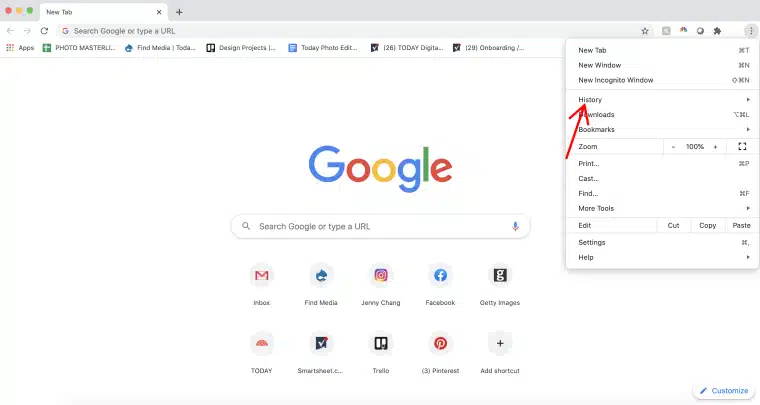
Many internet users turn to Incognito mode, believing it offers complete privacy for their online activities. While this feature does provide some level of anonymity, it does not erase all traces of browsing history. Understanding the limitations of Incognito mode is essential for anyone looking to maintain their online privacy effectively. This article explores what Incognito mode can and cannot do, along with practical steps for ensuring your browsing history is truly deleted.
Understanding Incognito Mode
When you activate Incognito mode, your browser initiates a temporary session that is distinct from your regular browsing profile. This means that websites you visit during this session will not appear in your standard browsing history. Additionally, cookies and site data generated while using Incognito mode are automatically deleted once all Incognito tabs are closed. However, it is important to note that any form entries, search bar activities, or login information will also be discarded unless you choose to save them manually. To ensure that all temporary data is removed, users must close every Incognito window, effectively ending the session.
Limitations of Incognito Mode
Despite its name, Incognito mode does not provide complete anonymity. Your online activities remain visible to websites, internet service providers, and any networks you may be connected to, such as those in schools or workplaces. Your IP address is still exposed, and any downloads made during the session will remain on your device. Furthermore, bookmarks created while in Incognito mode are saved permanently. Therefore, the primary method of clearing Incognito history involves closing all session windows and manually deleting any downloaded files or bookmarks as necessary.
How to Properly Clear Incognito Data
To ensure that your Incognito data is thoroughly cleared, follow these steps: First, close all Incognito windows to terminate the session. Next, remove any downloaded files from your device, as these will not be deleted automatically. If you saved bookmarks during your Incognito session, access the bookmarks manager to delete them. Finally, consider clearing your browser cache and DNS records to eliminate any residual traces of your browsing activity. On Windows, you can use the command “ipconfig /flushdns” in the Command Prompt to erase stored domain lookups.
Enhancing Your Online Privacy
While Incognito mode can be useful for local privacy, it does not protect against network monitoring or external tracking. For individuals who require a higher level of privacy, such as journalists or those concerned about security, it is advisable to use Incognito mode in conjunction with additional privacy tools. Utilizing a Virtual Private Network (VPN) can help mask your IP address and encrypt your internet connection. Additionally, disabling automatic sign-ins, managing cookies regularly, and reviewing browser settings can further limit data storage. By combining these practices with the correct use of Incognito mode, users can gain greater control over their digital footprint and enhance their online privacy.
Observer Voice is the one stop site for National, International news, Sports, Editor’s Choice, Art/culture contents, Quotes and much more. We also cover historical contents. Historical contents includes World History, Indian History, and what happened today. The website also covers Entertainment across the India and World.
Follow Us on Twitter, Instagram, Facebook, & LinkedIn

